Reads the replays you already have
Rocket League saves a replay file for your matches. When the game closes, rldash imports what is new. There is nothing to start or stop per match.
Desktop app for Windows and Linux
rldash keeps win rates, expected goals, shot charts and positioning heat maps for you, your friends and the squads you play in, and replays the goals you conceded in 2D and 3D. It reads the replay files the game already saves, and everything stays on your computer.
Features
Rocket League saves a replay file for your matches. When the game closes, rldash imports what is new. There is nothing to start or stop per match.
Track yourself and your friends: win rate, goals, assists, saves, shots and score over any date range. Save a squad to compare its members side by side over the matches you played together.
See where a player spent their time, for one match or across a date range, with the share of time in each third and lane of the pitch, and on the ground, the walls and in the air.
Every attempt plotted in 2D or 3D, where it was struck and where it crossed the goal line. xG for and against sits next to the score across the app, with a goals-against-xG trend for each player.
Each goal you concede is classified: a double commit, running on empty, or just a rough one. Replay it top-down or in 3D from the keeper's, the shooter's or a broadcast camera, and overturn a call you disagree with.
Stats are kept in a local SQLite database. There is no account to create and nothing is uploaded.
The app

Totals and averages for one player over the range you pick, beside their heat map.
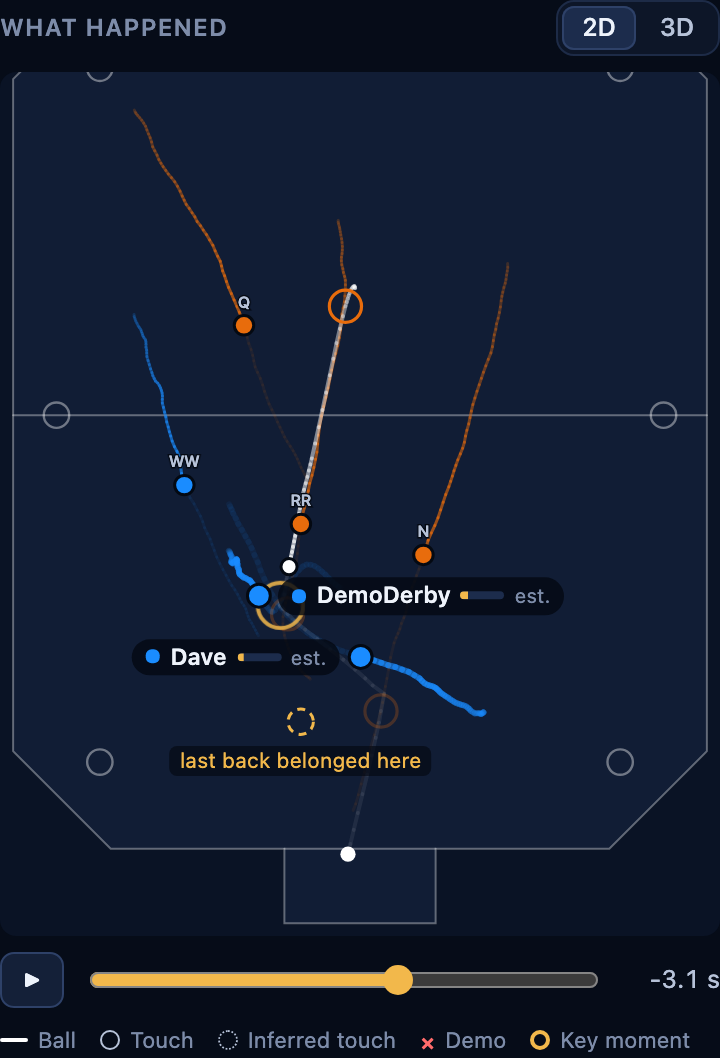
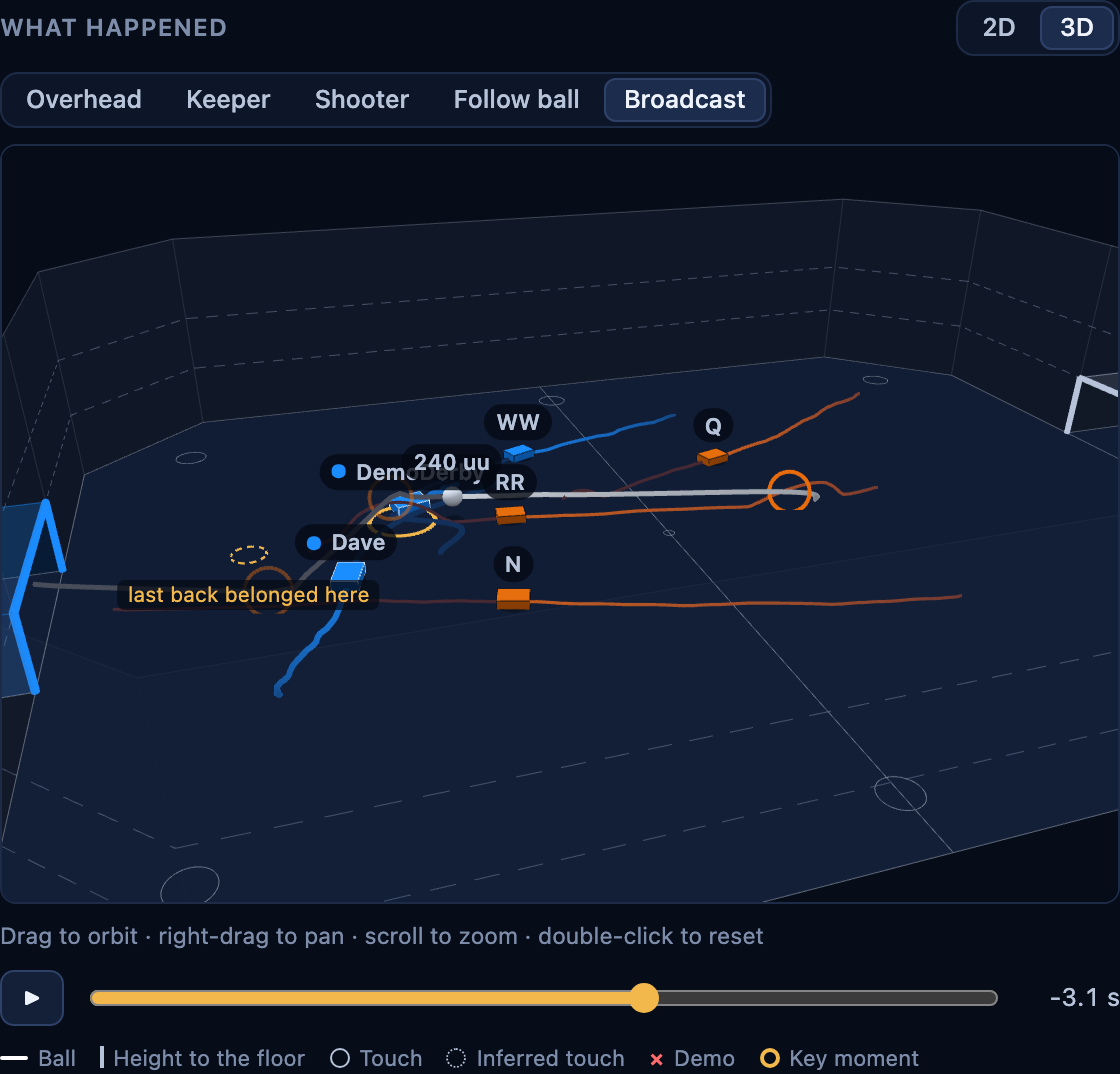
Scrub through the seconds before any goal you conceded, from above or from five cameras on the 3D pitch.

Every shot at the height you hit it, sized by xG. Click one for its line to goal, your car and the keeper.
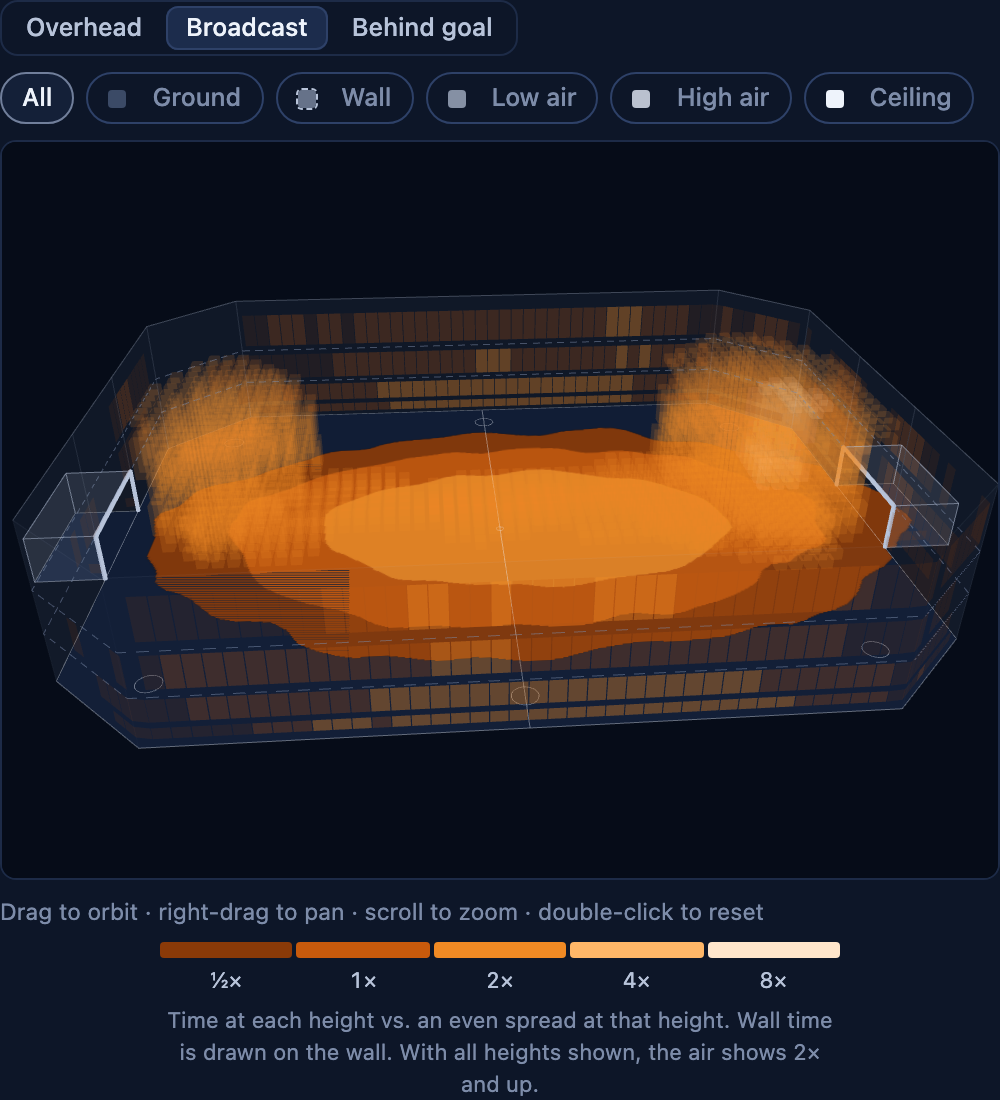
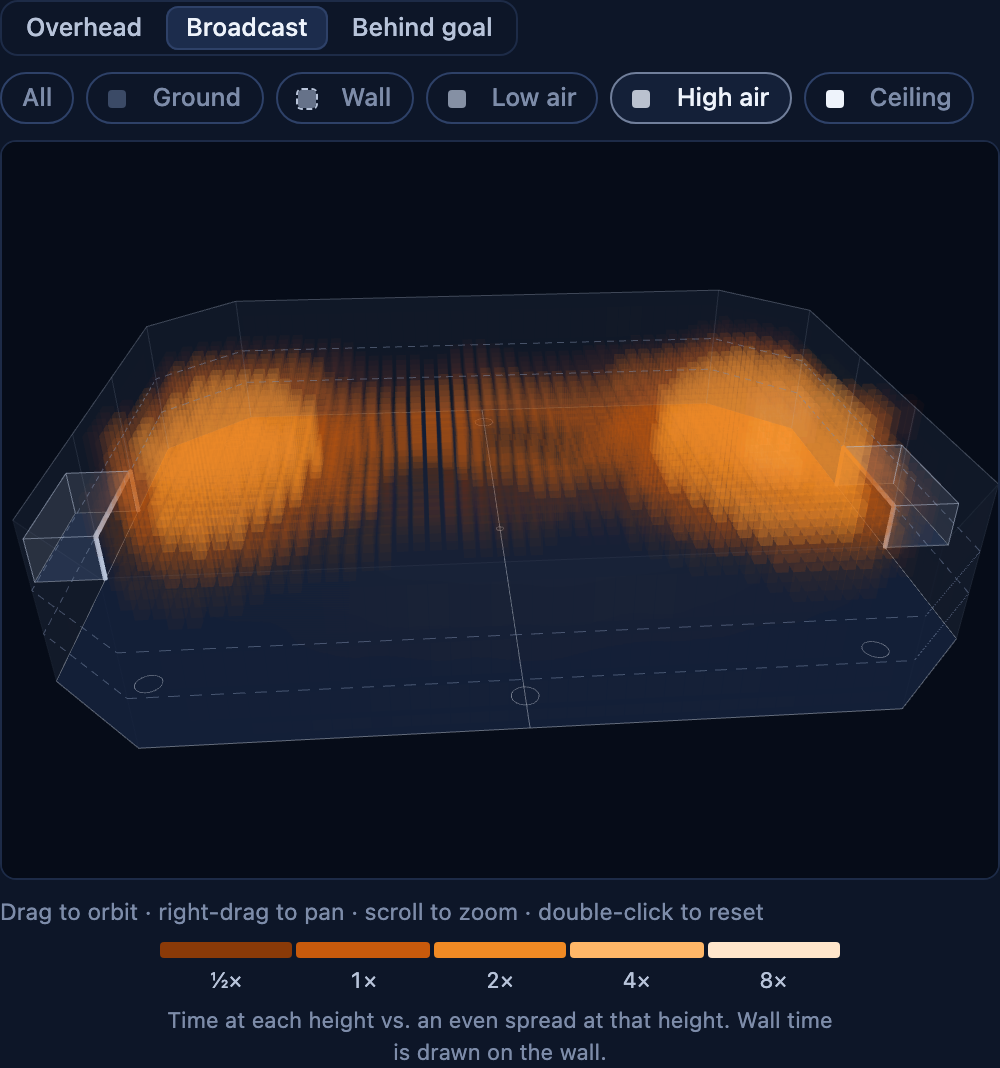
Where you spend your time on the ground, up the walls and in the air, all at once or one height at a time.

Your record together, and who carries what: goals, xG, shots and time in each third, member by member.

Every tracked player at a glance, and the matches most recently imported.

The full scoreboard for both teams with xG, and tracked players marked.

Where you shoot from, where it goes, and how often it goes in.

Goals conceded, what went wrong on each, and one rule for the next session.
How it works
Run the installer for Windows or Linux. The app sits in the system tray and can start at login.
rldash suggests the players and squads it sees most in your replays. Track them with one click, or add anyone by platform and online ID.
Your matches appear after you close Rocket League.
Downloads
Loading the latest version…
64-bit (x86_64)
64-bit (x86_64)
Installed copies check for a new version when they start and offer to update themselves.